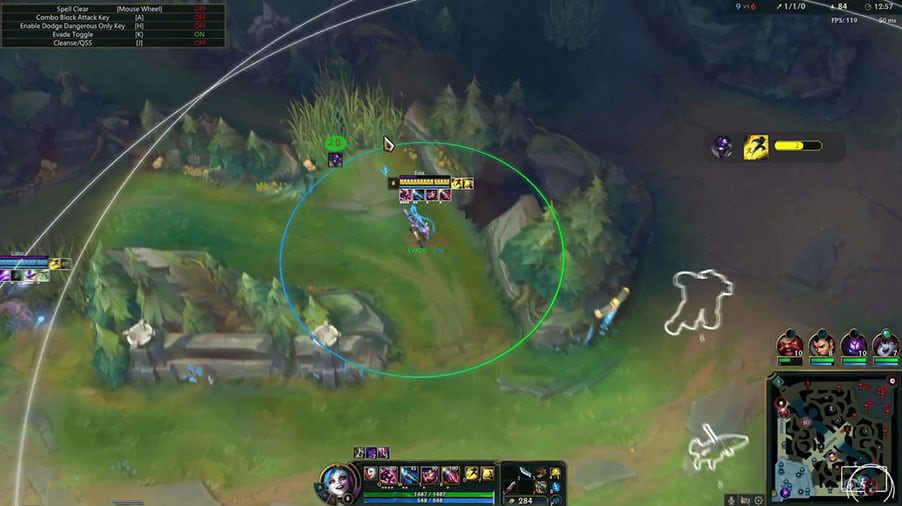
Penta LOL: configure attacks, scripts and visual information
Penta brings attack, spell and evasion tools together with a champion-script library. A bypass and spoofer are part of the supplied package.
- Platform League of Legends
- Developer Penta
Choose period
Penta
Before you buy
- Operating system
- Windows 10 / 11
- Processors
- Intel / AMD
- BIOS settings
- Secure Boot off; virtualization and TPM 2.0 on
This is a summary. Check all requirements and ask the seller about unknown conditions.
Payment goes through the seller’s own storefront (eliteseller.ru). Delivery and order support are handled there — the terms are shown on the payment page before you confirm.
This is a digital product: there is no physical shipping or separate shipping charge.
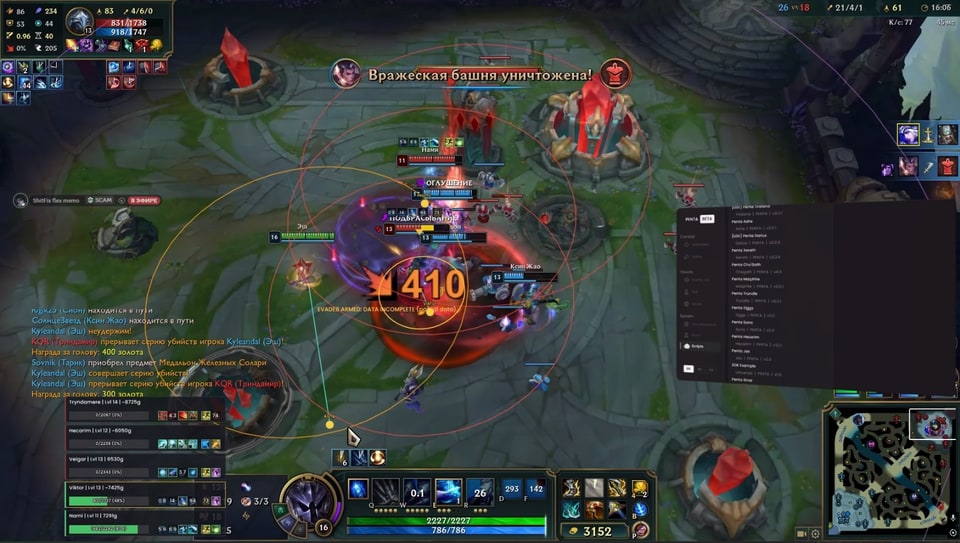
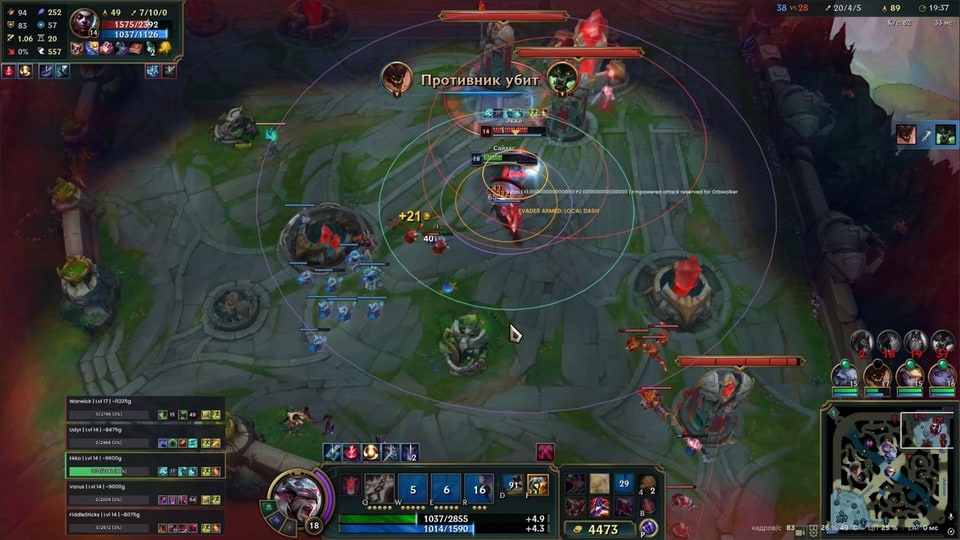
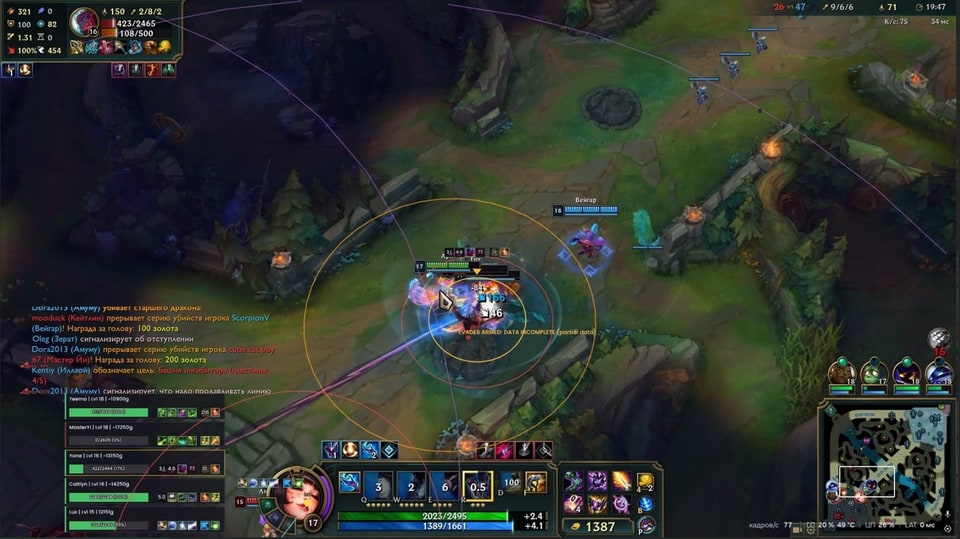
Screenshots
Video demo
The player needs scripts, and they are currently off: Open the video file →
Features
40Package
- Penta software
- Bypass included
- Spoofer included
Orbwalker
- Combo and Harass modes
- Last Hit assistance
- Lane Clear and Fast Lane Clear
- Jungle monster attacks
- Target priority by health or distance
- Smooth kiting
Spells
- Automatic Q, W, E and R casting
- Enemy movement prediction
- Hit chance settings
- Mana, cooldown and range checks
- Automatic spells disabled by default
Evade
- Detection of dangerous abilities
- Safe pathfinding around walls
- Always on or hold-key activation
Enemies
- Enemy cooldown timers
- Attack and spell ranges
- Last known enemy position
- Off-screen enemy indicators
Enemy HUD
- Health and visibility status
- Estimated enemy build value
- Movable and scalable panel
Character and world
- Character attack and spell ranges
- Allied and enemy tower attack ranges
- Minion last-hit markers
Champion scripts
- More than 80 champion scripts
- Automatic combos
- Kill Secure
- Script search and filters
Lua scripts
- Custom Lua scripts
- Loading from a selected folder
- Library reload with settings preserved
Skins and camera
- Local skin changes
- Camera distance adjustment up to 8000
- Camera zoom reset
Settings
- Hotkeys
- Saved settings
- Russian, English and Chinese interface
Safety
Third-party software carries a risk of game-account sanctions. The included bypass and spoofer do not guarantee protection from bans.
System requirements
| Operating system | Windows 10 / 11 |
|---|---|
| Processors | Intel / AMD |
| BIOS settings | Secure Boot off; virtualization and TPM 2.0 on |
Attack and spell controls
Orbwalker modes cover Combo, Harass, Last Hit, Lane Clear and Fast Lane Clear. Set target priorities, delays and hotkeys. Q, W, E and R controls include movement prediction, hit chance and mana, cooldown and distance checks. Automatic casting starts disabled.
Evasion and on-screen information
Evade detects dangerous abilities and calculates a route around walls. Enemy ESP provides ranges, cooldowns and last known positions. Move and resize the separate health and ability panel, or enable tower ranges and minion last-hit markers.
Scripts and appearance
The library contains more than 80 scripts, with search and support for custom Lua files. Available actions depend on the champion's script. Skin changes are local, and camera distance can be adjusted up to 8000.
Check before payment
The listed systems are Windows 10/11 with Intel or AMD processors. Disable Secure Boot and enable AMD-V/Intel VT-x virtualization and TPM 2.0. The loading procedure includes an automatic computer restart. Select 7 or 30 days on the shared EliteSeller form and confirm its final total and payment-method fee.
What to know before buying
How payment and delivery work
Checkout happens on the seller's side: for most cheats that is Digiseller, where the key appears on the order page as soon as the payment clears and is mirrored to your email. Some cheats are delivered manually — the key arrives once the seller confirms the order, and that is almost always the only reason for a delay. The licence countdown starts when the key is activated, not when you pay.
Ban risk, plainly
There is no safe cheat — only different odds of being caught in the next wave. Nobody compensates a lost game account: the key pays for access to software, not for an outcome.
Why cheats get detectedBefore the first launch
The routine is always the same: set the window mode from the requirements, start the software before entering a match, and do not switch everything on at once. The most dangerous window is the first days after a game or anti-cheat patch.
Safe launch checklistSetup guide
Check the Penta requirements, then follow the loading sequence.