Ghost Fortnite FULL: tune aiming and on-screen information
Build your own set of indicators in Ghost Fortnite FULL: adjust aiming, keep the player markers you need and select item categories. Save the settings in profiles.
Choose period
Ghost
Before you buy
- Operating systems
- Windows 10 | 11
- Processors
- Intel | AMD
- Game clients
- Epic Games
- Game mode
- Windowed | Borderless
This is a summary. Check all requirements and ask the seller about unknown conditions.
Payment and delivery via Digiseller. The key arrives by email right after payment.
This is a digital product: there is no physical shipping or separate shipping charge.
Screenshots
Features
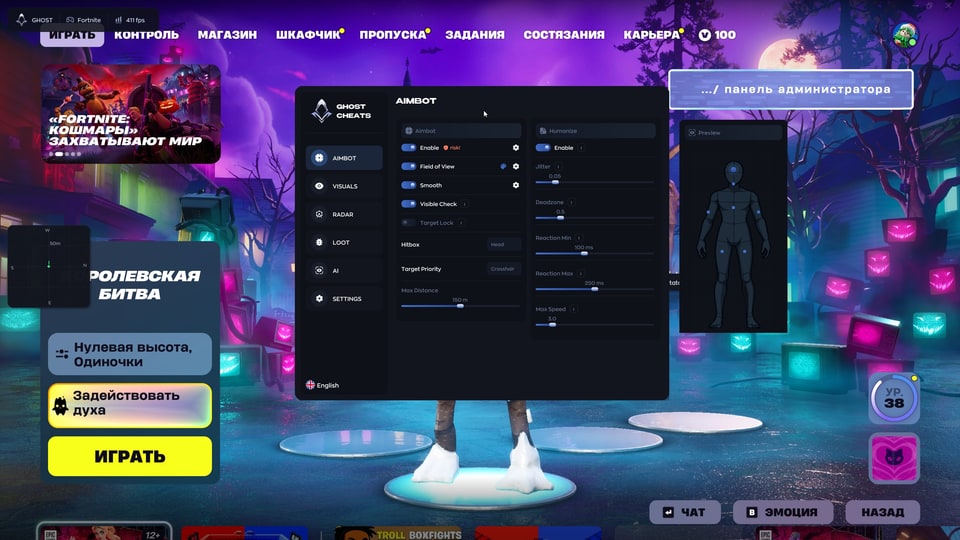
57Aimbot
- Enable — Turns the aimbot feature on or off.
- Field of View (FOV) — The radius within which the aimbot will "lock onto" a target.
- Smooth — The smoothness of the aim movement.
- Visible Check — Checks whether the target is visible.
- Target Lock — Keeps the crosshair locked onto the selected target, even as it moves.
- Hitbox — Selection of the target area (hit zone).
- Target Priority — Determines which target to prioritize.
Aim humanization
- Enable — Turns the humanization feature on.
- Jitter — Adds slight, random deviations (shaking) to the crosshair.
- Deadzone — A "dead" area where the aimbot does not react to mouse movement.
- Reaction Min / Max — The minimum and maximum reaction time.
- Max Speed — The maximum speed at which the camera can turn.
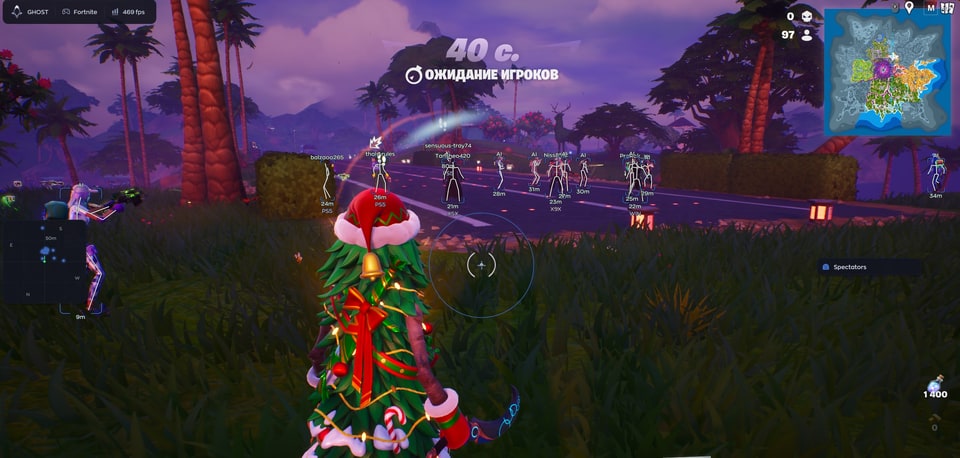
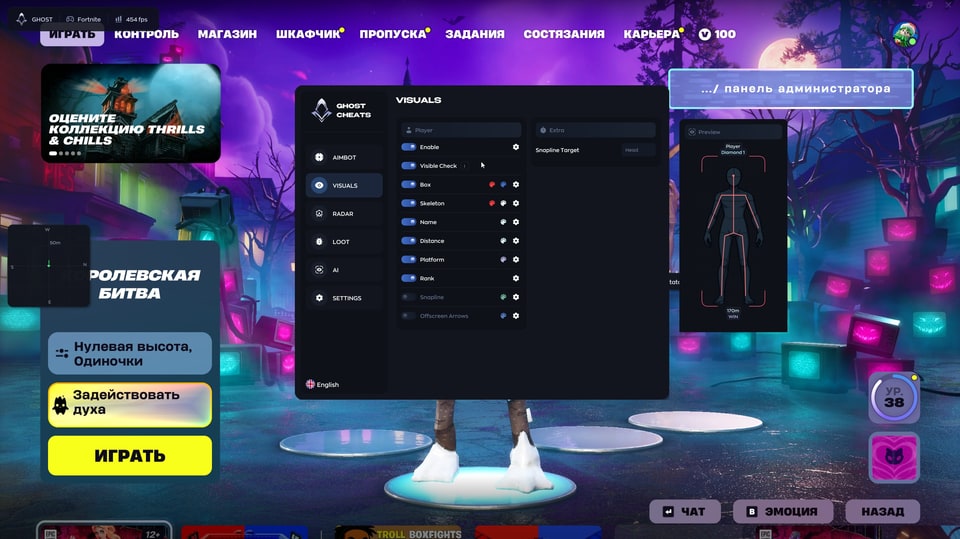
Player ESP
- Enable — Turn the feature on.
- Visible Check — Display information only for visible enemies.
- Box — Draw a rectangle (box) around an enemy.
- Skeleton — Display an enemy's skeleton.
- Name — Show a player's nickname.
- Distance — Show the distance to an enemy in meters.
- Platform — Show the platform the enemy is playing on (PC, console, etc.).
- Rank — Show a player's rank/level.
Extra indicators
- SnapLine — A line extending from the bottom of the screen toward an enemy.
- Offscreen Arrows — Arrows indicating the direction of enemies located outside your field of view.
- Preview — A preview window showing how the visuals will appear on a player.
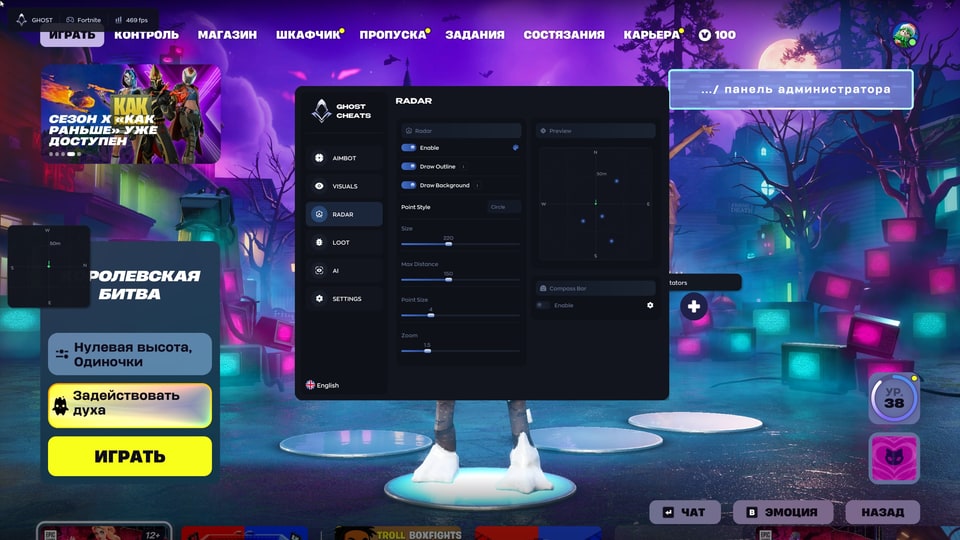
Radar
- Enable — Turn on the radar.
- Draw Outline — Draw the radar outline.
- Draw Background — Draw the radar background.
- Point Style — Style for displaying points.
- Size — Size of the radar.
- Max Distance — Maximum distance for displaying objects on the radar.
- Point Size — Size of the points on the radar.
- Zoom — Radar zoom level.
- Compass Bar — Enable the compass (directional bar) within the radar.
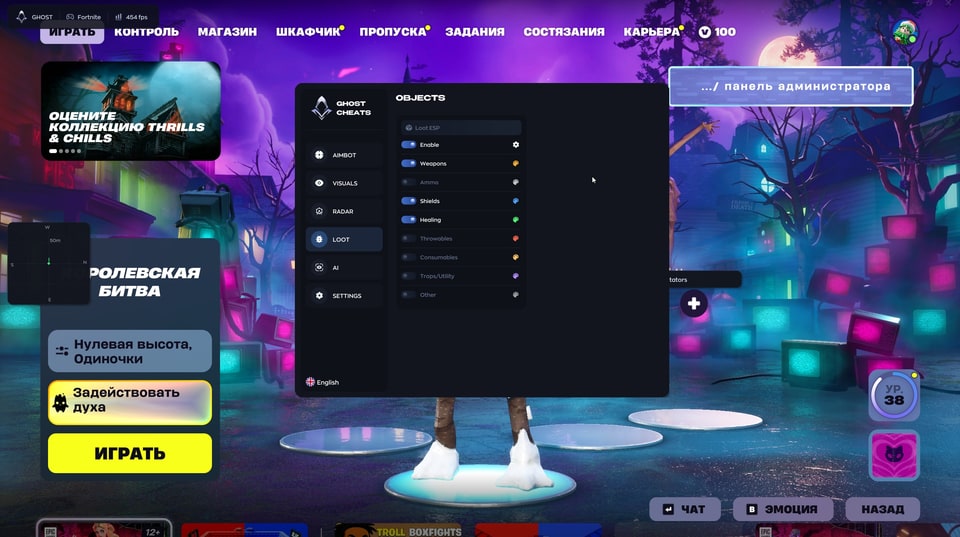
Loot
- Enable — Enable loot highlighting.
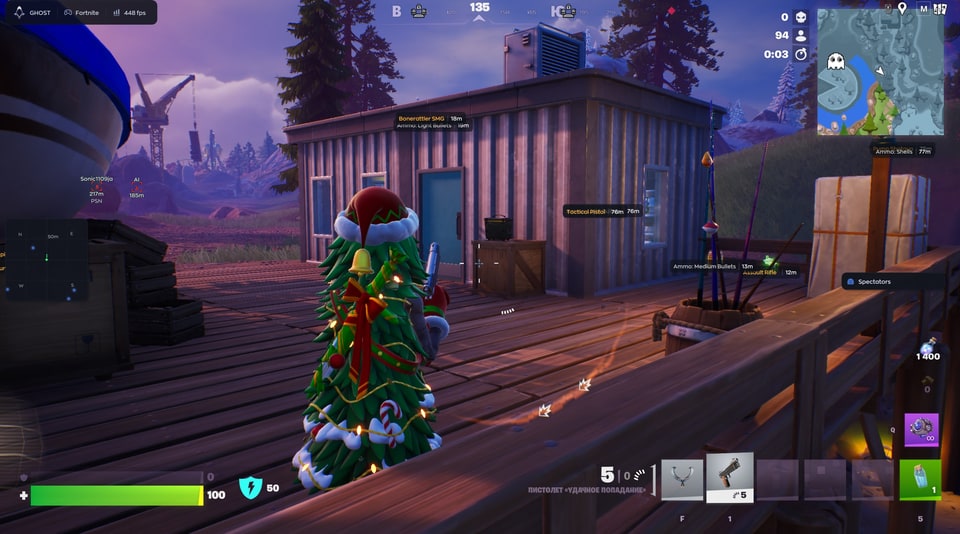
- Weapons — Highlight weapons.
- Ammo — Highlight ammo.
- Shields — Highlight shields (green/blue potions).
- Healing — Highlight medkits and bandages.
- Throwables — Highlight grenades and throwable items.
- Consumables — Highlight consumables (fish, bananas, etc.).
- Traps/Utility — Highlight traps and utility items.
- Other — Highlight other items.
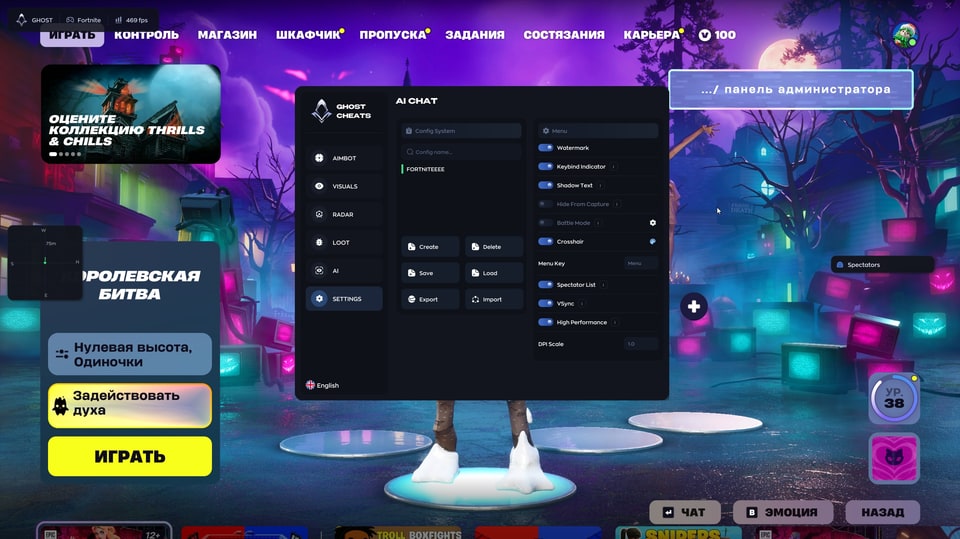
Configurations
- Config System — List of saved configurations
- Create / Delete — Create or delete a configuration.
- Save / Load — Save or load settings.
- Export / Import — Export and import settings (for sharing with other users).
Interface
- Watermark — Display a cheat watermark on the screen.
- Keybind Indicator — Show an indicator for pressed keys.
- Shadow Text — Add a shadow to text.
- Hide From Capture — Hide the cheat menu during screen recording, streaming, or when taking screenshots.
- Battle Mode — Disable unnecessary features during combat.
- Crosshair — Built-in crosshair.
- Menu Key — Key used to open the menu (default is "Menu").
- Spectator List — List of spectators (those watching you).
Performance
- VSync — Vertical synchronization.
- High Performance — High-performance mode.
- DPI Scale — Scale the interface according to screen resolution.
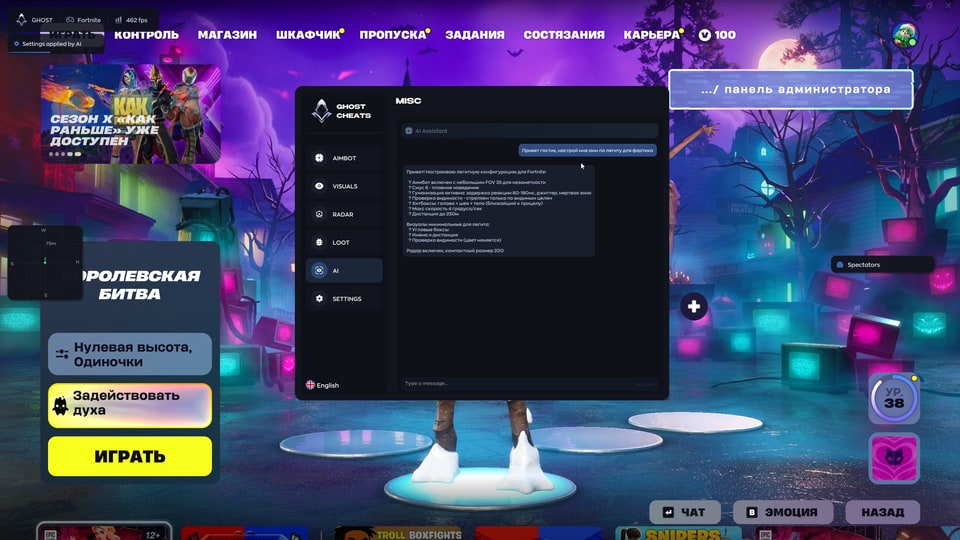
AI Assistant
- AI Assistant — a chat window with a built-in AI that answers questions about cheat settings.
Safety
Third-party software may lead to game-account restrictions. Check the requirements and selected duration before buying.
System requirements
| Processors | Intel | AMD |
|---|---|
| Operating systems | Windows 10 | 11 |
| Graphics card | NVIDIA | AMD |
| Game mode | Windowed | Borderless |
| Game clients | Epic Games |
Aiming and player information
Aimbot controls cover FOV, smoothing, visibility checks, target locking, hit zones and target priority. Humanize adds jitter, deadzone, reaction-time and turn-speed settings. Player ESP provides boxes, skeletons, names, distance, platform and rank, with separate snaplines and offscreen directions.
Radar and item filters
Change the radar outline, background, markers, size, range and zoom, and add its compass bar. Loot filters separate weapons, ammunition, shields, healing, throwables, consumables, traps and other items.
Profiles and interface
Create, delete, save, load, import or export configurations. Menu controls include spectators, a crosshair, interface scaling, VSync and performance mode. The AI Assistant answers questions about settings.
Requirements and key duration
Listed requirements are Windows 10/11, Intel/AMD processors, NVIDIA/AMD graphics and windowed or borderless mode. Choose access for 1, 7 or 30 days. Payment delivers a key for the selected duration; use the Ghost instructions for download and activation.
What to know before buying
How payment and delivery work
Checkout happens on the seller's side: for most cheats that is Digiseller, where the key appears on the order page as soon as the payment clears and is mirrored to your email. Some cheats are delivered manually — the key arrives once the seller confirms the order, and that is almost always the only reason for a delay. The licence countdown starts when the key is activated, not when you pay.
Ban risk, plainly
There is no safe cheat — only different odds of being caught in the next wave. Nobody compensates a lost game account: the key pays for access to software, not for an outcome.
Why cheats get detectedBefore the first launch
A radar renders on a second screen or phone and never touches the game itself — that is what makes it calmer than internal cheats. The phone link needs both devices on one network, so set it up before the match, not in the lobby.
Safe launch checklistFAQ
Which information does ESP show?
Which durations can I choose?
Can I transfer my settings?
Where can I download and activate Ghost?
Other cheats for Fortnite
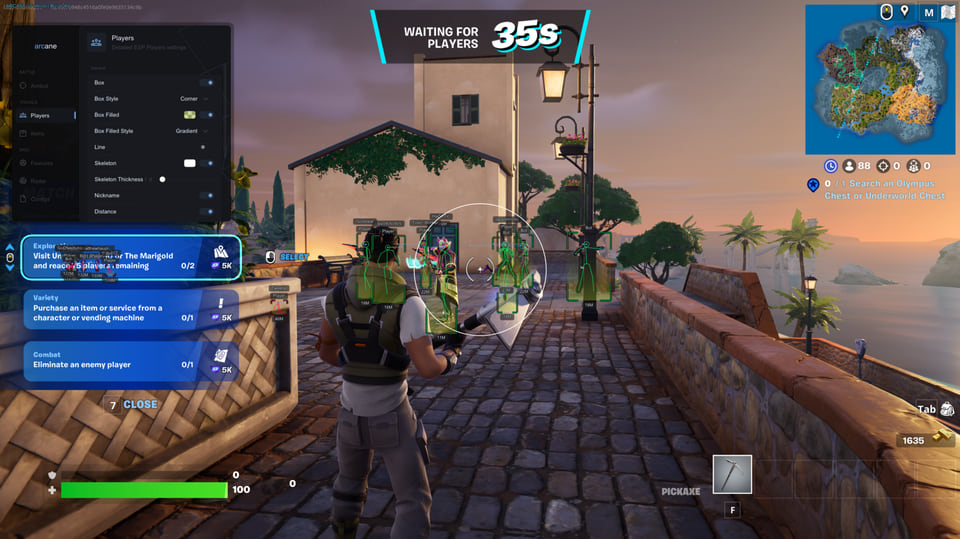
Arcane hack for Fortnite
ArcaneArcane is an all-in-one cheat for Fortnite, from crosshair assistance to map markers. 4 licence lengths to choose from.
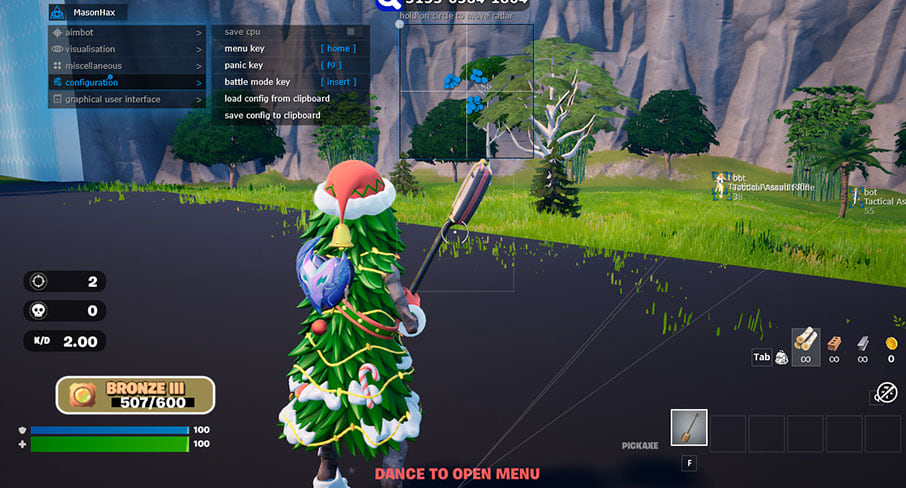
Mason hack for Fortnite
MasonMason is an all-in-one cheat for Fortnite, from crosshair assistance to map markers. Supported client: Epic Games.
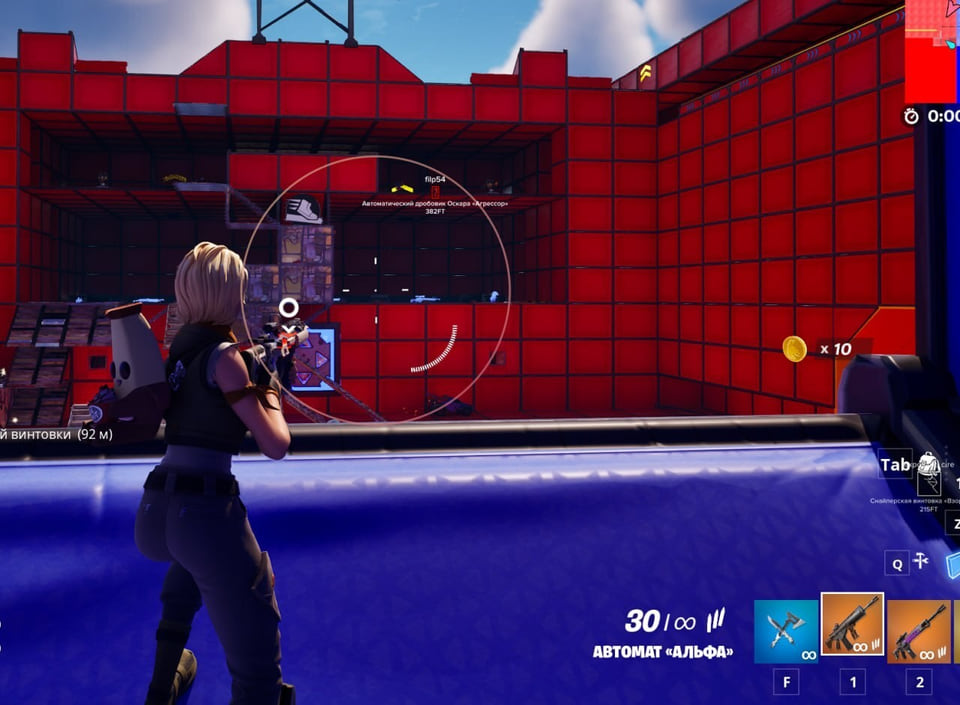
Fecurity hack for Fortnite
FecurityFecurity covers both sides of Fortnite — aim modules and on-screen data — across 11 menu entries. Supported client: External.
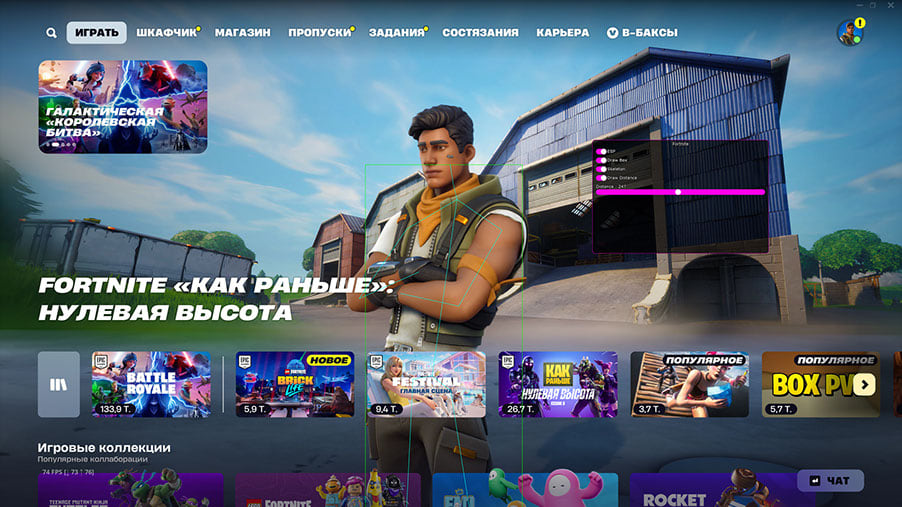
Covcheg hack for Fortnite
CovchegA visuals-only cheat for Fortnite: Covcheg Fort tells you what is around, the shooting stays manual.