Crooked Arms for Delta Force: ESP, Radar and Aimbot
Crooked Arms gives Delta Force players separate controls for characters, bots, items and vehicles. Access is offered for one day, one week or 30 days. The feature table lists the individual controls for each module.
- Platform Delta Force
- Developer Crooked Arms
- By software type Radars
Choose period
Crooked Arms
Before you buy
- Operating systems
- Windows 10/11 x64: 1903 (18362), 1909 (18363), 2004 (19041), 20H2 (19042), 21H1 (19043), 21H2 (19044/22000), 22H2 (19045/22621), 23H2 (22631), 24H2 (26100), 25H2 (26200), 26H2 (26300)
- Processors
- Intel and AMD
- Game version
- WeGame / Steam / Game Launcher
- USB drive
- Launch from a USB drive is supported
- Virtualization
- Enable SVM, VT-x or VT-d in BIOS
- Game mode
- Windowed
This is a summary. Check all requirements and ask the seller about unknown conditions.
If payment does not go through
A second checkout at eliteseller.ru in case the option above does not go through. Same seller; the price may differ — it is set there separately.
Payment and delivery via Digiseller. The key arrives by email right after payment.
This is a digital product: there is no physical shipping or separate shipping charge.
Screenshots
Features
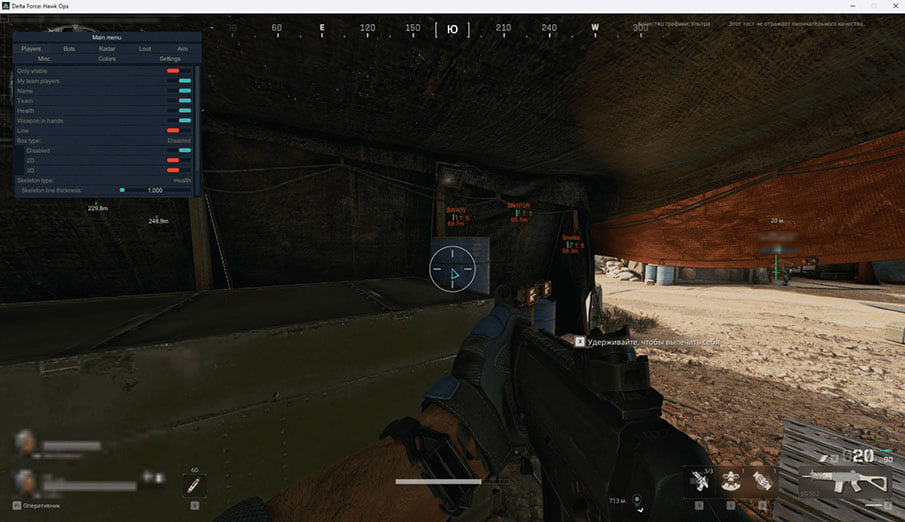
109PLAYERS
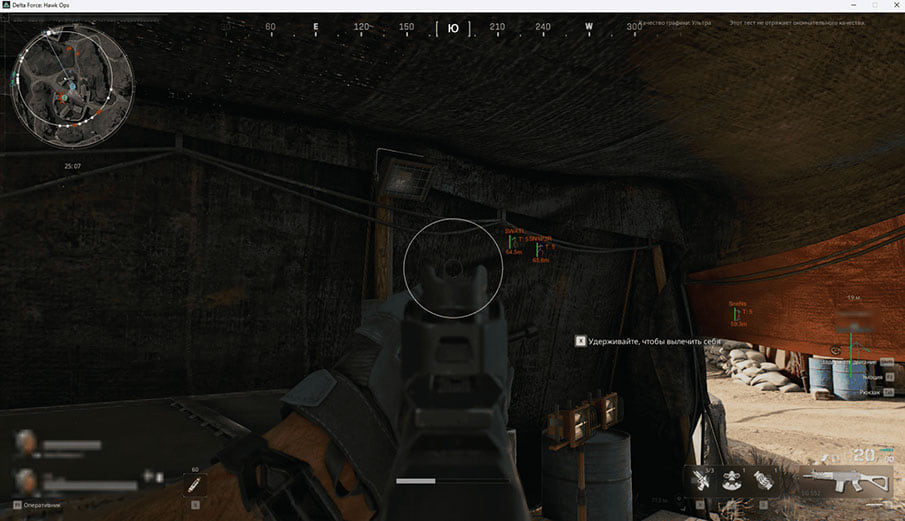
- Only visible / Display only visible players
- My team players / Show teammates
- Name / Display player names
- Team / Display players' team
- Player level (Level)
- Player category (Category)
- Weapon in hands / Display weapons in players' hands
- Dead players (Corpse)
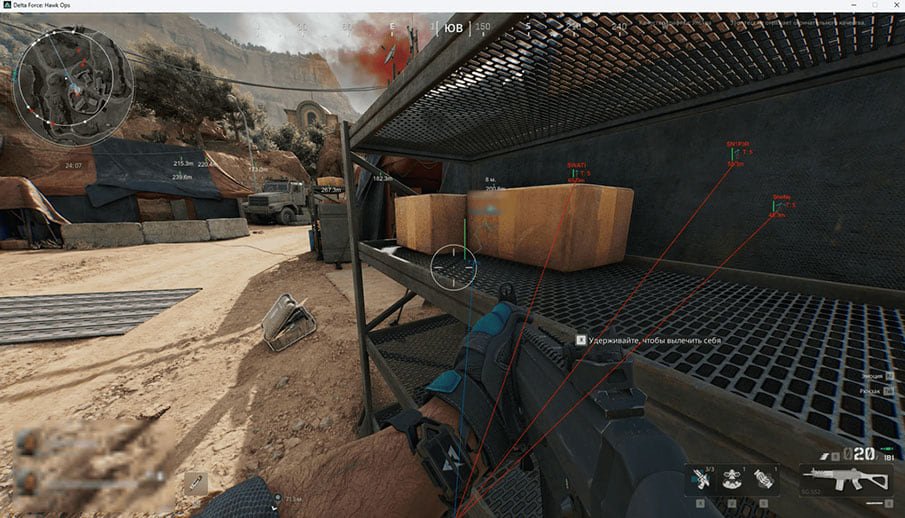
- Line / Display lines to players
- Box type / Select the type of displayed 2D square around the players
- Disabled / Disable the display of a 2D square around players
- 2D / Display 2D square around players
- 3D / Display 3D square around players
- Skeleton type / Select the type of player skeleton displayed
- Disabled / Disable display of player skeletons
- Default / Display standard skeleton type
- Health / Display the player's skeleton depending on the amount of health
- Skeleton line thickness / Set the thickness of the displayed player skeleton
- Skeleton display distance / Set the distance of the displayed skeletons of players
- Distance / Set the display distance of players
- Display distance / Display distances to players
BOTS
- Only visible / Display only visible bots
- Name / Display bot names
- Bot level (Level)
- Bot category (Category)
- Weapon in hands / Display weapons in the hands of bots
- Dead bots (Corpse)
- Line / Show lines to bots
- Box type / Select the type of displayed 2D square around the bots
- Disabled / Disable display of 2D square around bots
- 2D / Display 2D square around bots
- 3D / Display 3D square around bots
- Skeleton type / Select the type of display of the bot skeleton
- Disabled / Disable display of player skeletons
- Default / Display standard skeleton type
- Health / Display the bot's skeleton depending on the amount of health
- Skeleton line thickness / Set the thickness of the displayed bot skeleton
- Skeleton display distance / Set the distance of the displayed skeletons of bots
- Distance / Set the display distance of bots
- Display distance / Display distances to bots
RADAR
- Enable radar / Enable radar
- Show players / Display players on the radar
- Show bots / Display bots on the radar
- Display distance / Set the radar operating distance
- Position by X / Set the radar position along the X axis
- Position by Y / Set the radar position along the Y axis
- Size / Set the size of the displayed radar
- Alpha / Set radar transparency
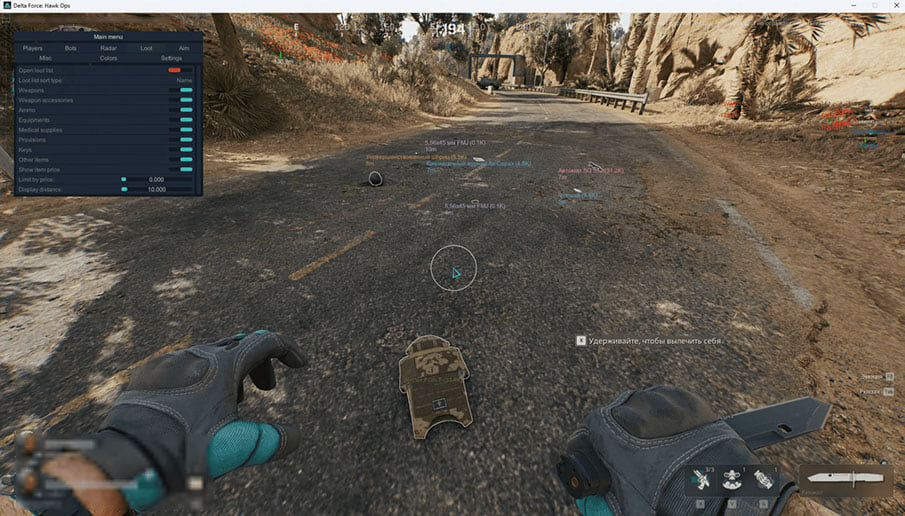
LOOT ESP
- Open loot list / Open loot list
- Loot list sort type / Select type of loot sorting
- Name / Sort list by name
- Price / Sort list by price
- Weapons/Display weapons
- Weapon accessories / Display weapon adapters
- Ammo / Display ammo
- Equipments / Display equipment
- Medical suppliers / Display medicine
- Provisions / Display provisions.
- Keys: / Display keys
- Miscellaneous items (Miscellaneous)
- Containers (Containers)
- Other items / Display other items
- Player and bot death boxes (Dead boxes)
- Item quality colors (Use item quality color)
- Short item names (Use item short name)
- Show item price / Display item price
- Limit by price / Limit by price
- Display distance
AIMBOT
- Enable aimbot / Enable aimbot
- Visibility check / Checking the visibility of the target for the aimbot
- Show snapline / Display the aiming line
- Smoothing (more > faster) / Set aimbot aiming smoothness
- Show fov / Display the radius of the aimbot, circle FOV
- Fov / Set the radius of the aimbot, circle FOV
- Distance / Set the aimbot's operating distance
- Bones selection / Selecting a body part for the aimbot to work
- Head / Head
- Neck/Neck
- Left elbow / Left elbow
- Right elbow / Right elbow
- Body / Body
- Pelvis / Pelvis
- Left knee / Left knee
- Right knee / Right knee
- Hotkey selection / Set a key to activate the aimbot; for the aimbot to work, the installed key must be pressed and held
MISC
- Draw crosshair / Display crosshair in the center of the screen
- Crosshair color / Change the color of the displayed crosshair
- Show vehicles (Show vehicles)
- Vehicle health (Vehicle health)
- Vehicle display distance (Vehicle display distance)
COLORS
- Change color if (players / bots) is visible / Change the display color of visible players and bots
- Invisible players color / Set the display color of players not in view
- Visible players / bots color / Set the display color of visible players and bots
- Players color / Set the display color of players
- Bots color / Set the display color of bots
- Corpses color / Set the color for displaying corpses
- My team players color / Set team display color
- Knocked players color / Set the display color of knocked down players
- Selected items color / Set the display color of selected items
- Weapons color / Set weapon display color
- Weapon accessories color / Set the display color of weapon adapters
- Ammo color / Set ammo display color
- Equipments color / Set equipment display color
- Medical supplies color / Set medicine display color
- Provisions color / Set Provisions color
- Keys color / Set key display color
- Other items color / Set the display color of all other items
SETTINGS
- Hotkey to disable loot / Set a key to disable loot display
- Menu opening hotkey / Set the key for opening and closing the cheat menu in the game, the default key is "HOME"
Safety
Third-party software can lead to an account ban. Capture hiding is a display feature and does not establish protection from anti-cheat detection.
System requirements
| Game version | WeGame / Steam / Game Launcher |
|---|---|
| Game mode | Windowed |
| Operating systems | Windows 10/11 x64: 1903 (18362), 1909 (18363), 2004 (19041), 20H2 (19042), 21H1 (19043), 21H2 (19044/22000), 22H2 (19045/22621), 23H2 (22631), 24H2 (26100), 25H2 (26200), 26H2 (26300) |
| Processors | Intel and AMD |
| Capture hiding | Supported according to the seller |
| USB drive | Launch from a USB drive is supported |
| Virtualization | Enable SVM, VT-x or VT-d in BIOS |
| Project type | External |
| Performance | AMD FX processors may have performance issues |
| HWID Spoofer | Not included; sold separately. Compatibility with other spoofers is not guaranteed |
Reading the battlefield
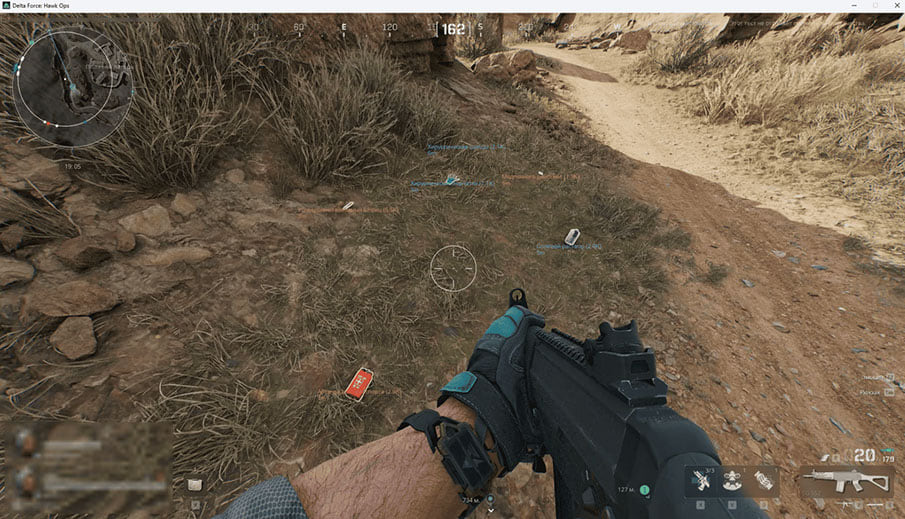
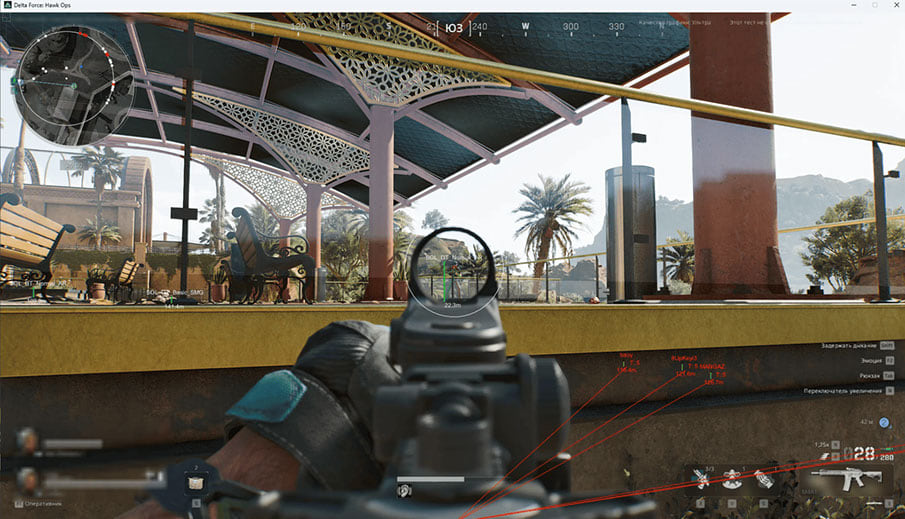
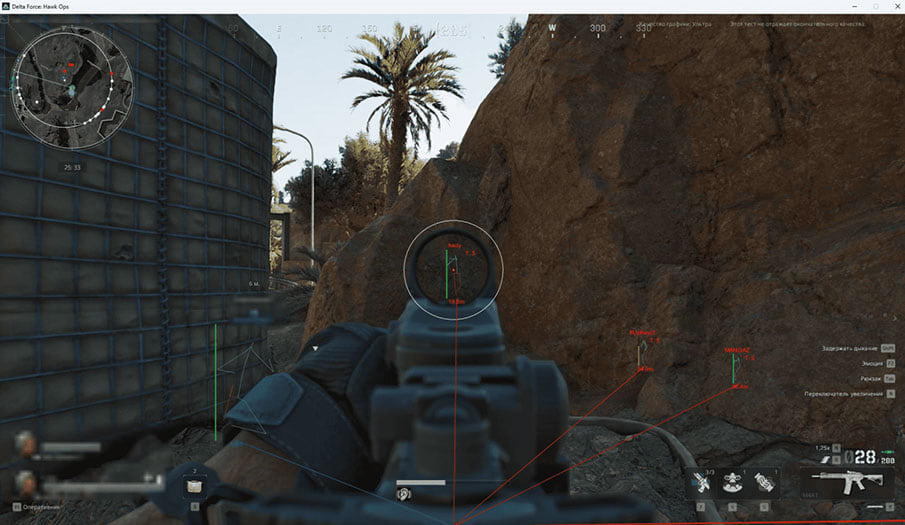
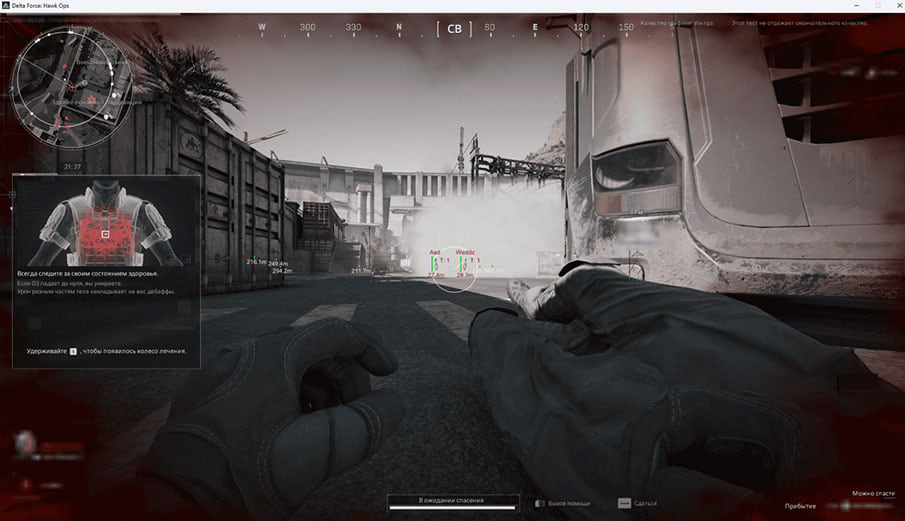
Player and bot overlays cover names, levels, categories, boxes, skeletons and distance. Dead characters can be displayed separately. Radar tracks positions, while vehicle settings include condition and display range.
Loot filters and aiming controls
Loot categories include weapons, ammunition, medical supplies, keys, containers and death boxes. Sort the list by name or value, set a price threshold, and use quality colors or shortened item names. Aimbot controls include FOV, range, smoothing, body-part selection, visibility checks and a hold-to-activate key.
Preparing the PC
The external software lists Steam, WeGame and Game Launcher support. It uses windowed mode and supported Windows 10/11 x64 builds. Intel and AMD processors are listed, with a performance caveat for AMD FX. Launching from a USB drive is supported, and BIOS virtualization must be enabled.
Access periods and the separate spoofer
The existing payment products offer 1, 7 and 30 days. An HWID Spoofer is a separate purchase; the developer does not guarantee compatibility with other spoofers. Match the selected duration to the seller’s payment form before paying.
What to know before buying
How payment and delivery work
Checkout happens on the seller's side: for most cheats that is Digiseller, where the key appears on the order page as soon as the payment clears and is mirrored to your email. Some cheats are delivered manually — the key arrives once the seller confirms the order, and that is almost always the only reason for a delay. The licence countdown starts when the key is activated, not when you pay.
Ban risk, plainly
There is no safe cheat — only different odds of being caught in the next wave. Nobody compensates a lost game account: the key pays for access to software, not for an outcome.
Why cheats get detectedBefore the first launch
A radar renders on a second screen or phone and never touches the game itself — that is what makes it calmer than internal cheats. The phone link needs both devices on one network, so set it up before the match, not in the lobby.
Safe launch checklistFAQ
Which game clients are listed?
Which access periods can I purchase?
Are loot and vehicle controls separate?
Is an HWID Spoofer included?
Other cheats for Delta Force
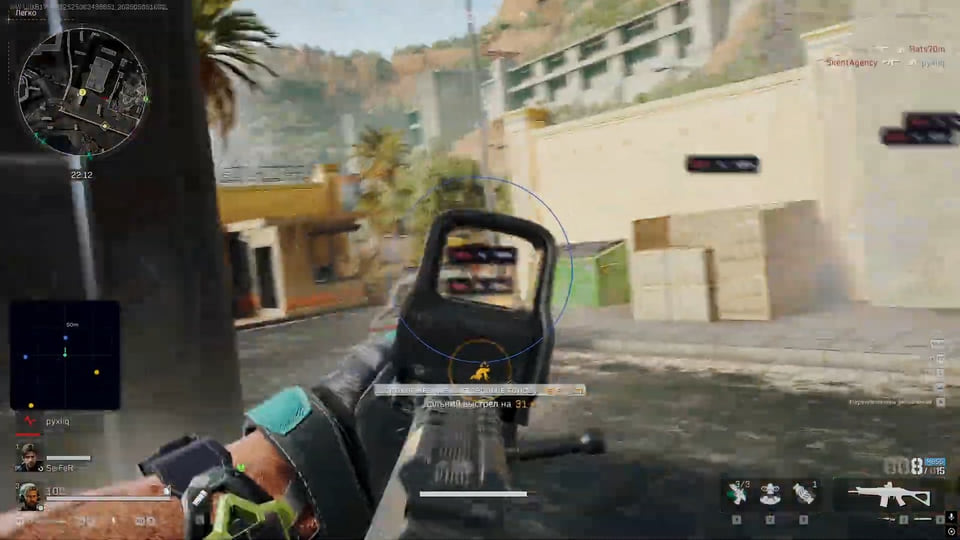
Ghost DF Full: full cheat for Delta Force
GhostGhost DF Full is an all-in-one cheat for Delta Force, from crosshair assistance to map markers. Supported client: Steam.

Ghost DF Chams hack for Delta Force
GhostThe reworked Ghost DF Chams for Delta Force uses red models for players and blue models for bots. Supported client: Steam.
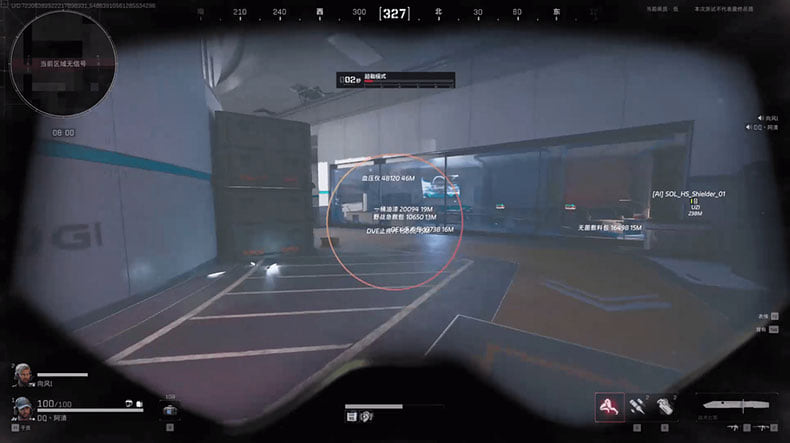
Fecurity hack for Delta Force
FecurityThe full package for Delta Force: Fecurity puts combat and visual modules in one menu.
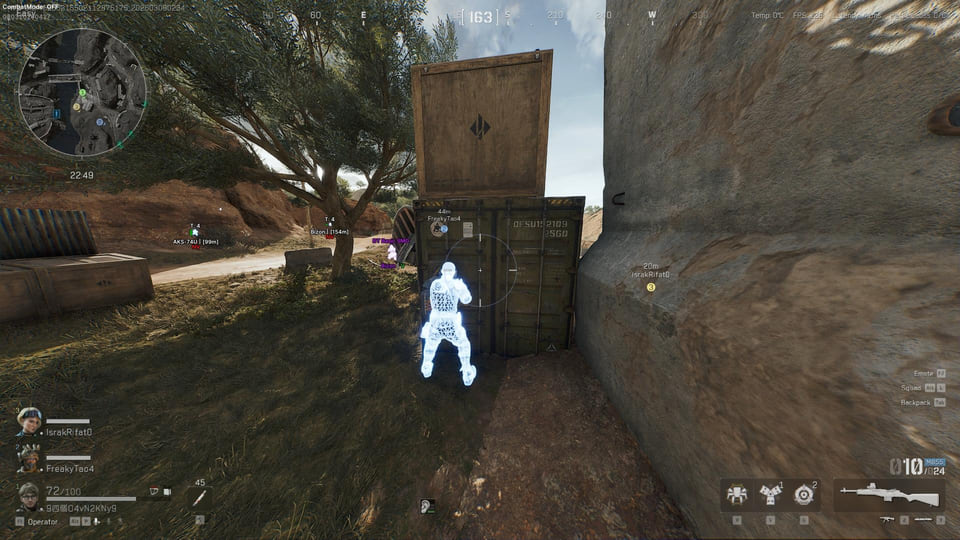
Unnamed Full hack for Delta Force
UnnamedThe full package for Delta Force: Unnamed Full puts combat and visual modules in one menu. Screen capture bypass is declared, so the overlay stays out of recordings.