Ghost ABI FULL External for Arena Breakout Infinite
Ghost ABI FULL has moved to External. Aim controls, visual markers, loot and radar have separate settings; AI Chat helps build a configuration from your request.
- Platform Arena Breakout Infinite
- Developer Ghost
- By software type Radars · Bots and farming
Choose period
Ghost
Before you buy
- Operating system
- Windows 10 | 11 (1903-25h2)
- Processor
- INTEL | AMD
- Client
- Game Launcher | Steam | Epic Games
- Video card / Game mode
- Video card: NVIDIA | AMD; Game mode: Window | Frameless
This is a summary. Check all requirements and ask the seller about unknown conditions.
If payment does not go through
A second checkout at eliteseller.ru in case the option above does not go through. Same seller; the price may differ — it is set there separately.
Payment and delivery via Digiseller. The key arrives by email right after payment.
This is a digital product: there is no physical shipping or separate shipping charge.
Screenshots
Video demo
The player needs scripts, and they are currently off: Open the video file →
Features
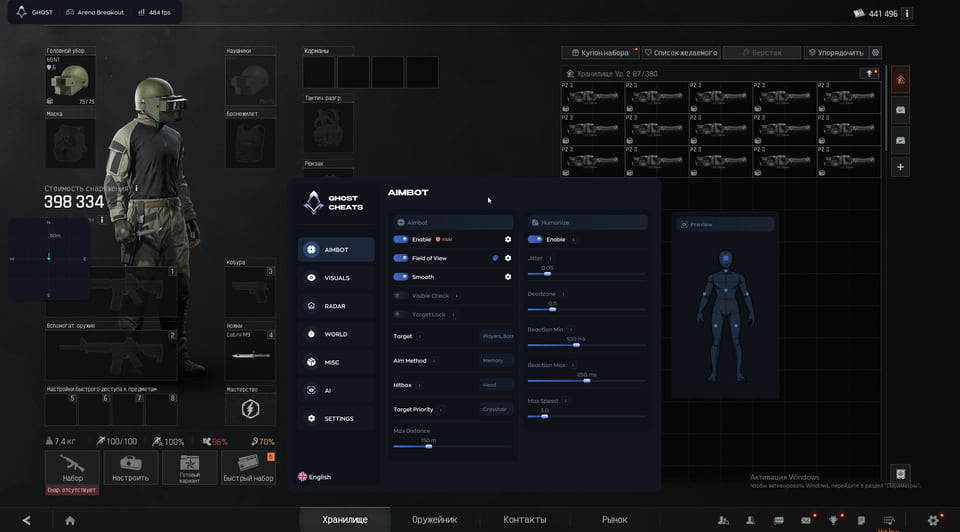
84Aimbot
- Enable — enable the aimbot
- Field of View — target acquisition radius
- Smooth — aim smoothing
- Visible Check — aim at visible targets only
- Target Lock — keep the selected target locked
- Target — select players and bots
- Aim Method — Memory or Mouse aiming method
- Multi Hitbox — select multiple aiming bones
- Target Priority — target selection priority
- Max Distance — maximum aimbot distance
Humanize
- Enable — enable aim humanization
- Jitter — small aiming movements
- Deadzone — area without aim correction
- Reaction Min — minimum reaction delay
- Reaction Max — maximum reaction delay
- Max Speed — maximum aiming speed
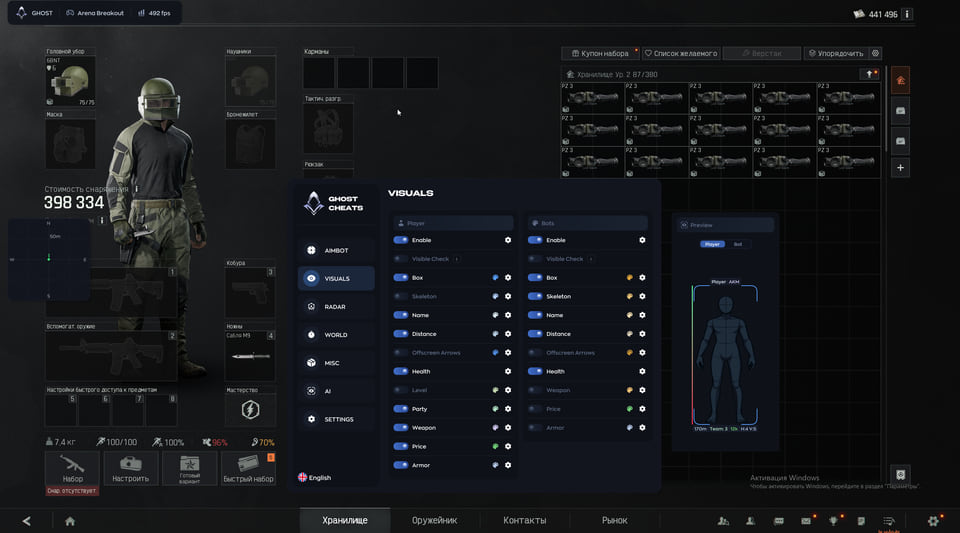
Player ESP
- Enable — enable player ESP
- Visible Check — color based on target visibility
- Box — box around the player
- Skeleton — player skeleton
- Name — player name
- Distance — distance to the player
- Offscreen Arrows — direction to offscreen targets
- Health — player health
- Level — player level
- Party — team or party identification
- Weapon — weapon held by the player
- Price — player equipment value
- Armor — armor and its condition
Bot ESP
- Enable — enable bot ESP
- Visible Check — color based on bot visibility
- Box — box around the bot
- Skeleton — bot skeleton
- Name — bot name
- Distance — distance to the bot
- Offscreen Arrows — direction to offscreen bots
- Health — bot health
- Weapon — weapon held by the bot
- Price — bot equipment value
- Armor — bot armor and its condition
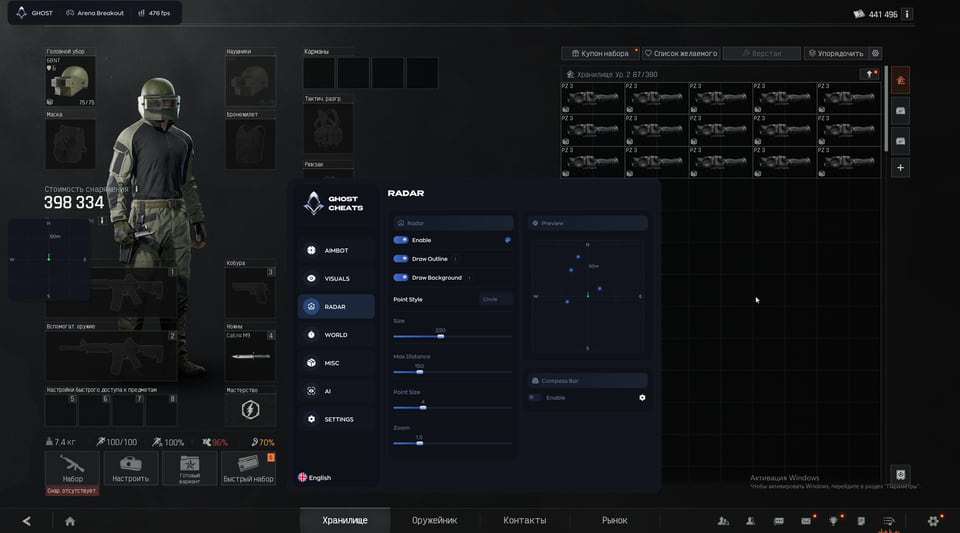
Radar
- Enable — enable the 2D radar
- Draw Outline — radar window outline
- Draw Background — radar background
- Point Style — target marker style
- Size — radar window size
- Max Distance — maximum radar distance
- Point Size — marker size
- Zoom — radar zoom
- Compass Bar — compass bar with enemy markers
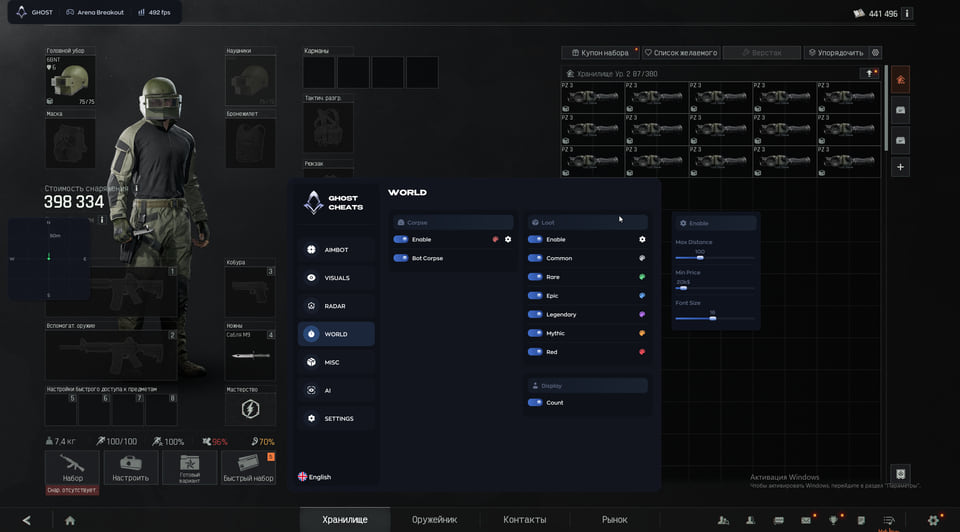
Corpses
- Enable — display dead players and bots
- Bot Corpse — separate bot corpse display
Loot
- Enable — display items on the map
- Common — common items
- Rare — rare items
- Epic — epic items
- Legendary — legendary items
- Mythic — mythic items
- Red — red rarity items
Loot display
- Count — item count
- Max Distance — maximum display distance
- Min Price — minimum item value
- Font Size — label font size
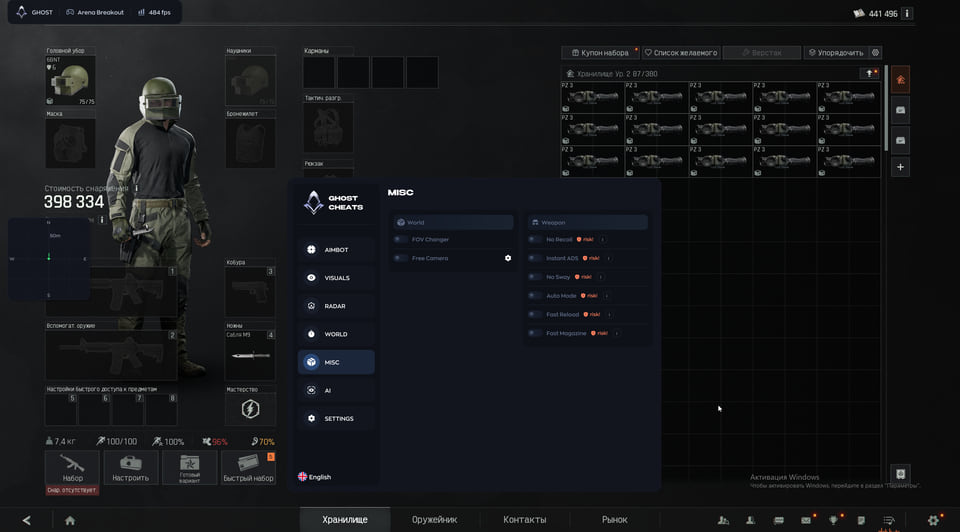
Camera
- FOV Changer — change the camera field of view
- Free Camera — free camera independent of the character
Weapon
- No Recoil — disable recoil
- Instant ADS — instant aiming down sights
- No Sway — disable weapon sway
- Auto Mode — automatic firing mode
- Fast Reload — faster reload
- Fast Magazine — faster magazine changes
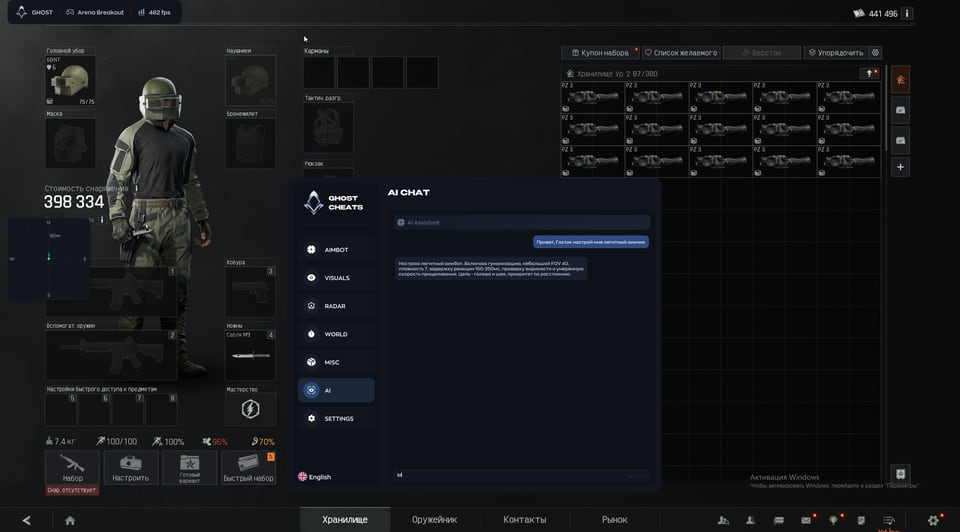
AI Chat
- AI Assistant — select and adjust settings through AI chat
Configs
- Create — create a configuration
- Save — save a configuration
- Load — load a configuration
- Delete — delete a configuration
- Export — export a configuration
- Import — import a configuration
Menu
- Watermark — onscreen logo
- Keybind Indicator — hotkey indicator panel
- Shadow Text — text shadow for the menu and ESP
- Battle Mode — compact interface for combat
- Crosshair — custom crosshair overlay
- Menu Key — menu toggle key
- DPI Scale — interface scaling
Safety
The current screenshots mark the aimbot and weapon controls as risky. External and AI Chat do not guarantee freedom from bans. The developer’s report of six days of testing describes that particular test period.
System requirements
| Project | External |
|---|---|
| Cpu | INTEL | AMD |
| Client | Game Launcher | Steam | Epic Games |
| Os | Windows 10 | 11 (1903-25h2) |
| Video card | NVIDIA | AMD |
| Game mode | Window | Frameless |
| Spoofer | NO |
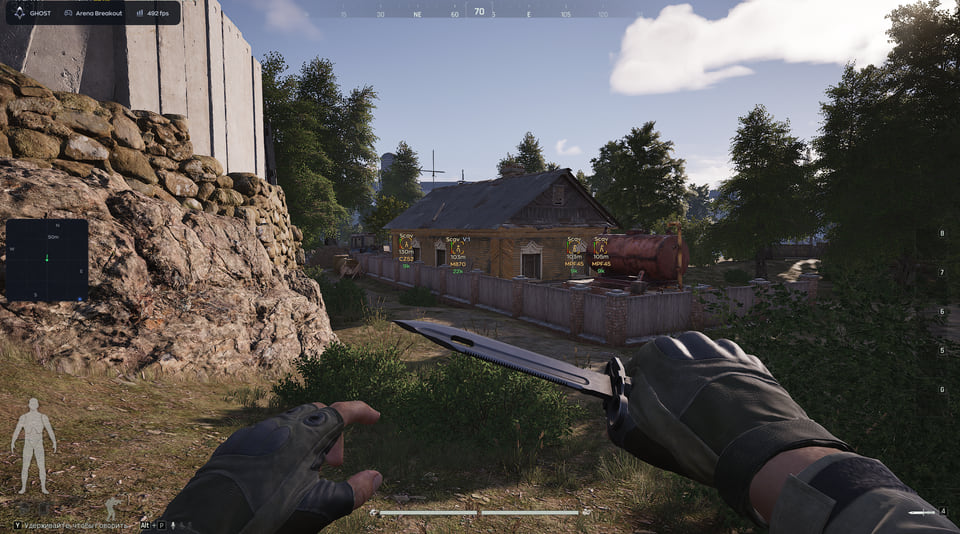
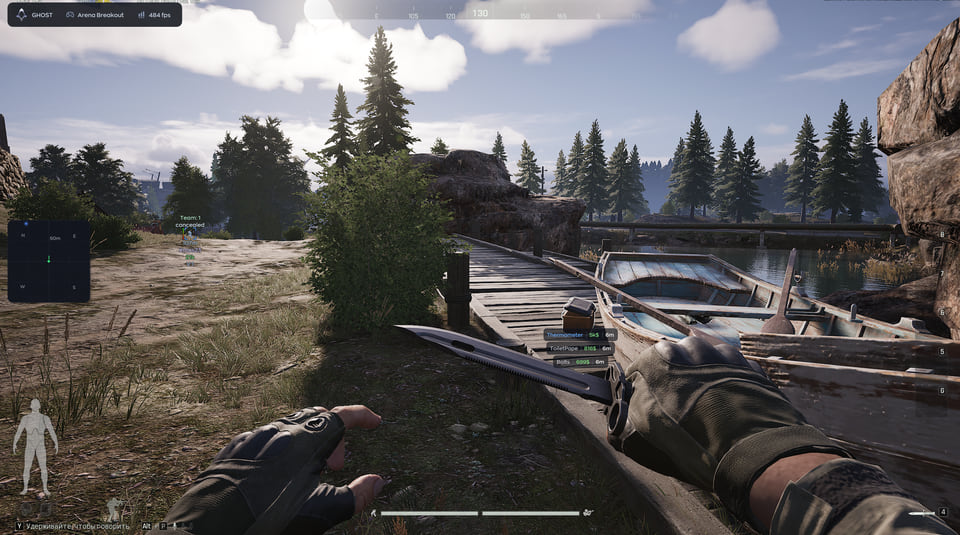
The refreshed Ghost ABI FULL menu has seven sections: Aimbot, Visuals, Radar, World, Misc, AI and Settings. The new screenshots show this interface and ESP during a raid.
Aiming and onscreen information
Choose Memory or Mouse, target types and multiple hitboxes. Target Lock retains a selected target, while Humanize controls small movements, reaction delay and maximum speed. Players and bots have separate ESP settings for boxes, skeletons, distance, health, weapons, equipment value and armor. Player ESP also includes level and party information.
Radar, loot and configuration
The 2D radar lets you adjust size, zoom and marker style; the compass bar shows enemy directions. Loot filters use rarity, minimum value and distance. Bot corpses have a separate switch. Misc contains camera and weapon controls. AI Assistant adjusts parameters through chat, and configs support import and export.
Existing keys
The developer says active subscriptions remain valid and existing keys receive 5 extra days. This is compensation for current users rather than a new purchase period.
Compatibility
The project type is External. Other listed requirements remain Windows 10 | 11 (1903-25h2), Intel or AMD, NVIDIA or AMD, Game Launcher / Steam / Epic Games, windowed or borderless mode. A spoofer is not included.
What to know before buying
How payment and delivery work
Checkout happens on the seller's side: for most cheats that is Digiseller, where the key appears on the order page as soon as the payment clears and is mirrored to your email. Some cheats are delivered manually — the key arrives once the seller confirms the order, and that is almost always the only reason for a delay. The licence countdown starts when the key is activated, not when you pay.
Ban risk, plainly
There is no safe cheat — only different odds of being caught in the next wave. Nobody compensates a lost game account: the key pays for access to software, not for an outcome.
Why cheats get detectedBefore the first launch
A radar renders on a second screen or phone and never touches the game itself — that is what makes it calmer than internal cheats. The phone link needs both devices on one network, so set it up before the match, not in the lobby.
Safe launch checklistSetup guide
This page walks you through preparing Windows for Ghost Cheats, activating your key on the official loader page and starting the software. Follow it once and you finish with the cheat injected and the in-game menu ready to open with INSERT. The same procedure applies to every Ghost product.
FAQ
What changed in this version?
What happens to my active subscription?
Is a spoofer included?
Which access periods are available?
Which client and Windows versions are listed?
Other cheats for Arena Breakout Infinite
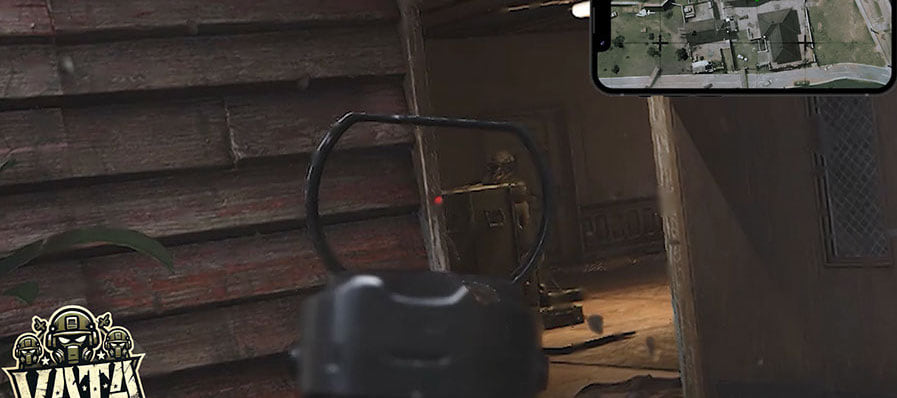
VATA Web Radar hack for Arena Breakout Infinite
VATAVATA Web Radar is an all-in-one cheat for Arena Breakout Infinite, from crosshair assistance to map markers. The radar can be pushed to a second device.
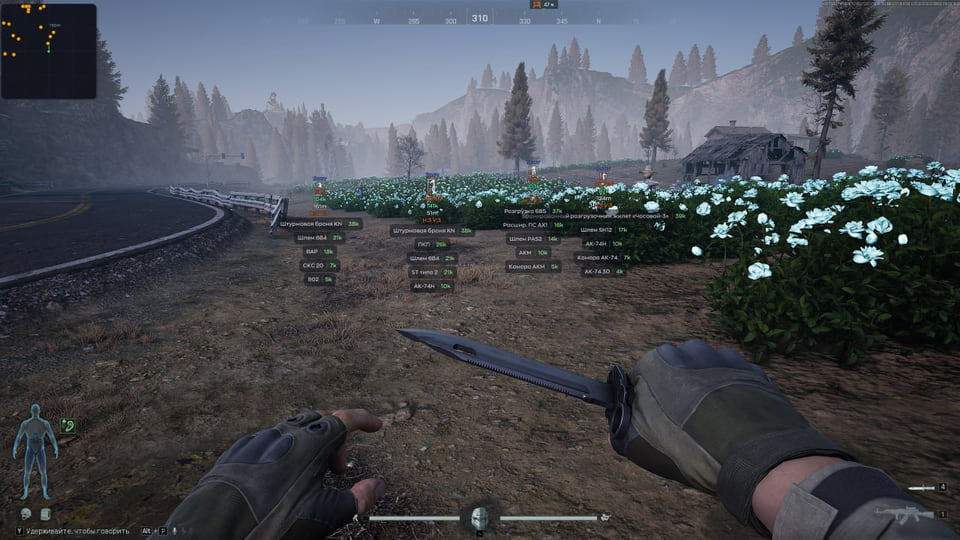
Ghost ABI ESP External for Arena Breakout Infinite
GhostGhost ABI ESP now uses an External design. Choose the raid information you need with separate player and bot overlays, radar, a compass bar and a chat for adjusting ESP settings.
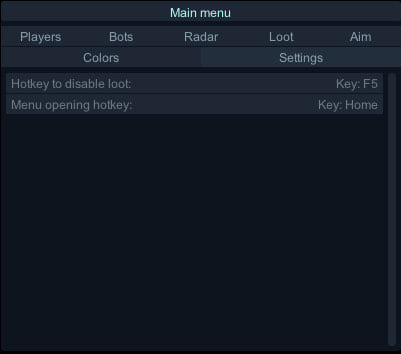
Crooked Arms hack for Arena Breakout Infinite
Crooked ArmsCrooked Arms is an all-in-one cheat for Arena Breakout Infinite, from crosshair assistance to map markers. Screen capture bypass is declared, so the overlay stays out of recordings.
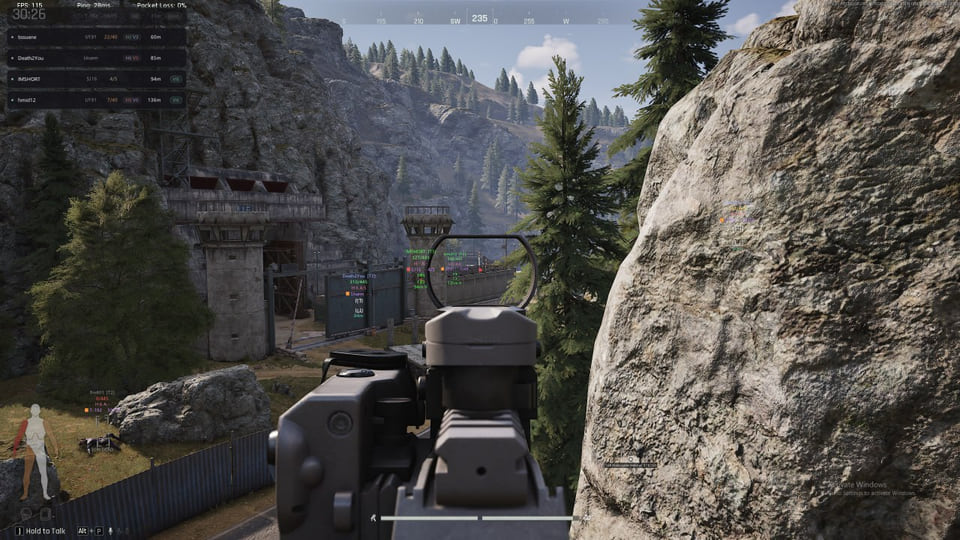
Nightvex: visuals-only cheat for Arena Breakout Infinite
KoenFlowNightvex skips aim automation and focuses on what you can see in Arena Breakout Infinite. Supported client: Steam.